Petlibro Camera Light Stays On After the Update: 3 Fixes
The short answer: Petlibro’s own support account says the light is behaving as designed. After an update changed the camera indicator logic, the light flashes whenever the camera streams or records, and the company calls it “an intentional privacy-related indicator.” Underneath that reply sit the reports it does not answer: owners who disabled the camera in the app and watched the light stay on anyway.
Two threads in r/Petlibro carry this story. The first, “Granary camera light coming on?”, was posted on September 16, 2026 and drew 24 comments from people running the same camera feeder. The second, “Camera staying on”, followed on September 21 with 12 upvotes and 5 comments. Both describe a device that changed behaviour after an update and left its owner unable to say whether the change was a fault or a feature.
That second part is the real problem. A pet camera is the one device in a home that is supposed to watch. When its light stops being a reliable answer to “is this thing recording right now,” the owner loses the only instrument they had.
Everything below comes from three sources, all read on October 1, 2026: those two r/Petlibro threads plus a third thread from September 28 about SD card recognition, Petlibro’s own product listing for the Granary camera feeder, and the Trustpilot profile for petlibro.com. petiqlab has not tested this camera and has not captured its network traffic. Where the evidence runs out, this article says so instead of filling the gap.
What the update changed
The official reply in the September 16 thread is unusually specific, and it defines what the light is for:
“With the updated camera indicator logic, the camera light will flash whenever the camera is actively streaming or recording. This includes: Live View in the Petlibro App / Manual recording / Automatic recording triggered by Motion Detection. This is an intentional privacy-related indicator.”
Three triggers, then a phrase that explains the change. An indicator exists to tell the person in the room that the lens is live, and Petlibro put that sentence in a public reply under its own support account.
A commenter in the second thread supplied the other half of the reason, describing what the update notes said: the firmware was “updating the camera light due to regulatory compliance.” petiqlab has not been able to read that release note directly, so treat the wording as an owner’s report rather than a quotation from Petlibro. The direction is consistent either way. A light that is required to reflect recording state is not decoration, and the company’s reply treats it that way.
| What the app shows | What the light does | Who says so |
|---|---|---|
| Live view open in the app | Flashes | Petlibro support reply, September 16, 2026 |
| Motion detected while recording | Flashes | Petlibro support reply, September 16, 2026 |
| Camera switched off in the app | Owners report it still flashing, or sitting steadily on | Four owners across the September 16 and September 21 threads |
That third row is where the article starts.
The part the light does not explain
The original poster on September 16 was not complaining about a recording. They were complaining about arithmetic that stopped adding up. “The camera light indicator was flashing off and on at varying frequencies,” they wrote. “I’m the only person with access (knowingly?) and wasn’t in the camera.” Their response was practical rather than technical, and it is the same one several owners reached by the end of the thread: “I’ve stuck a sticky note over the camera itself for now.”
Below that post, the gap between the official explanation and what owners observe opens up in three places.
The camera was off and the light was not. The most direct challenge in the thread is a one-line question aimed straight at support: “I have the camera turned off in app now, but the indicator is still appearing? Is that intentional?” Nobody in the thread produced a clean answer. A second owner described the same behaviour with a detail that makes it worse, because they own two identical units: “it’ll blink and stay steadily on even when i’ve turned the camera off in app… i’ve got two of them and only one is indicating the camera is on.” One firmware on two bodies should not produce two different light behaviours.
The blinking is suspected of feeding the recorder. The sharpest report in the thread ties the light to the recording path itself: “Unfortunately this forever-blinking light triggers the motion sensor and records constant video to my SD card. I only want to record actual movement. This only started after I updated the firmware a few days ago.” If that account is accurate, the indicator is not just reporting a recording, it is participating in one.
The recording mode changed too. The second thread starts from that same suspicion and finds something concrete. The owner went into settings and looked at how the camera writes to the card: “I went to settings > camera setting > video save to sd card and noticed that it was on continuous rather than motion detection… it’s still recording when there’s no motion. I feel like this update has achieved the opposite of what it was supposed to.” A setting that flips from motion detection to continuous on its own is a fact an owner can verify on their own phone. That is the most useful item in either thread.
What owners cannot do is close the last step. One commenter laid out the uncomfortable version of the theory and then stopped short of claiming proof: “The firmware update said it was updating the camera light due to regulatory compliance. I think the app IS recording from our cameras even when we aren’t viewing it or saving it ourselves.” The same person, replying further down, wrote the sentence that captures the whole standoff: “I disabled the camera in my device settings but the camera light is still on… so idk if it’s a glitch or something more nefarious.” Another owner asked whether the compliance explanation is simply the company being transparent, because it has to be, about a camera that was always on.
petiqlab’s reading of these threads, stated plainly: there is no evidence here of footage being recorded somewhere its owner never agreed to, and there is also no explanation from the brand that matches what owners see on their own hardware. Both halves of that sentence are true at once, and the second half is the one a buyer can act on.
Three checks to run tonight
None of these three checks change how the camera records. They change what you know, which is the part you control.
1. Look for the indicator switch before you tape anything. One owner in the September 16 thread found the setting and posted it for everyone else: “you can turn off all of the indicator lights in the app, too. Settings > device settings indicator.” petiqlab could not reproduce that path and Petlibro’s public reply does not mention a toggle, so treat it as an owner report. It is still the first thing to try, because an owner running three units in the same thread asked the company for exactly this control, which suggests it is not obvious. Two other owners solved it physically, with electrical tape or a sticky note, and one wrote that they “ended up covering that specific indicator light with a piece of electrical tape because I couldn’t stand it.” Tape stops you from seeing the light. It does not stop the camera.
2. Check what the card is being asked to do. Open the camera settings and read the recording mode. If it says continuous, that is a change you can reverse in the app, and it explains why the light is active when the house is quiet. The same week produced a separate SD card problem in the same subreddit: on September 28, an owner running three feeders reported that none of them recognised their memory cards, and that the new flashing icon drew a reaction from the cats rather than the humans. Cards are the weak link in local recording, and a card the device cannot read looks identical in the app to a camera that has nothing to save.
3. Decide with the file timestamps. Pull the microSD card, put it in a computer, and compare the clip timestamps against the hours you were out. This is the difference between a suspicion and a support ticket. If the card holds footage from a window when the app showed the camera as off, you have a specific, dated fact to send. If it does not, you have an annoying light and a setting to change, which is a much smaller problem than the thread makes it sound.
When it is worth opening a ticket
The bar for a ticket is evidence, not annoyance. Owners who send “the light is on” will get the reply that the light is intentional, because that is what the public reply already says.
Send four things instead. The firmware version from the app’s device page, the app version, a screen recording that shows the camera disabled in settings with the light visible in the same frame, and the card timestamps from check three if the window is there. If you own two units and only one misbehaves, the serial numbers of both belong in the message, because that comparison is the kind a support engineer can act on.
Keep your expectations calibrated. In the September 21 thread, an owner waiting on an escalation wrote that support told them it could take “up to 3 days for a reply from a supervisor.” On the same platform, Petlibro’s public position on scattered firmware defects is worth remembering: in a September 10 thread about a bricked wet food feeder, the support account wrote that its technical team “confirmed that the issue you reported occurs very rarely.”
The company’s reply record is mixed and worth reading as a trend rather than a score. On October 1, 2026, the petlibro.com Trustpilot profile showed 3.4 stars from 1,016 reviews, with replies to 72% of negative reviews within two weeks. That reply share has climbed steadily through September, from 55% on September 15 to 70% on September 29 and 72% by October 1. The review count moved from 954 to 1,016 over the same stretch. A rising reply ratio next to a rising complaint count means the company is answering faster, not that the queue is shrinking, and a reply is not a resolution. The positive side of the same profile is real and belongs in the same paragraph: on September 30, an owner wrote that the company “made everything super easy to deal with getting my replacement items,” and another described a Scout camera replaced twice with a named staff member handling it.
What to check before you buy the next camera
The indicator light is one line in a specification sheet that most buyers never read, and it is a good proxy for how much the maker documents. Four questions, and the answers you want:
| Pre-buy question | The answer that protects you | Why it matters |
|---|---|---|
| Can the status light be switched off? | A documented setting, not a forum post | Owners in these threads asked for a toggle that support never mentioned |
| Where do recordings land? | A microSD card you own | Local files let you test the camera instead of trusting it |
| Is there a physical cover or shutter? | Yes, or a lens you can rotate into its housing | The only privacy control that does not depend on firmware |
| What happens during an outage? | Recording continues to the card | Cloud-only cameras lose the hour you most wanted to see |
On that checklist, this site’s standing camera pick is the TP-Link Tapo pan/tilt camera, which records to a microSD card with no subscription and costs about $35 to $40 once. petiqlab reviewed it in 2026 and the reasoning holds here: a camera whose footage lands on hardware you own is one you can audit yourself, and auditing is the entire subject of this article. The caveat is honest and specific. petiqlab has not confirmed whether every Tapo model exposes an LED switch, so if a dark, silent camera matters to you more than anything else, ask the seller that single question before you pay.
If you are weighing cameras with cloud plans against cameras without them, the no-subscription camera guide and the subscription cost comparison cover the billing math. The Tapo review has the local-storage details, and the night vision failure round-up covers what happens on the cheap end of the category. For readers who want the wider pattern behind firmware changes that alter behaviour you already paid for, the security flaws article documents a different chapter of the same relationship between a pet device and its app.
FAQ
Why is my Petlibro camera light staying on? Petlibro’s support account says the light is meant to flash whenever the camera streams or records, including live view in the app and automatic recording triggered by motion detection. Owners in the September 16, 2026 r/Petlibro thread report the light staying on or blinking when the camera is switched off in the app, which the official reply does not address. petiqlab has not tested the hardware, so treat the cause as unresolved rather than diagnosed.
Can I turn off the camera indicator light in the Petlibro app? One owner in the thread wrote that all indicator lights can be disabled under Settings, then device settings indicator. That is a user report, not a page from Petlibro’s documentation, and petiqlab could not confirm it. The same thread contains an owner of three units asking the company to publish exactly that toggle, which suggests the setting was not easy to find. Look for it first, then cover the lens if the setting is missing.
Does a light that stays on mean the camera is recording? Nobody in these threads proved it either way. One owner wrote that the blinking light triggers the motion sensor and records continuous video to the SD card, and another found the card had been switched from motion detection to continuous recording. That is a report about a setting, not a capture of hidden footage. The honest position is that an owner cannot currently distinguish a firmware defect from a designed indicator without the brand explaining the logic.
Why did the update change the camera light behaviour? An owner described the release notes as updating the camera light for regulatory compliance, and Petlibro’s support reply calls the new behaviour an intentional privacy-related indicator. A camera that records should be visibly recording, which is the usual reason regulators and privacy rules push for a status light. petiqlab could not read the update notes directly, so the compliance wording rests on that owner’s account.
How do I check whether my pet camera is really off? Three tests, in order. Open the app and disable the camera, then watch the light for a full minute. Check the recording mode under camera settings and confirm it reads motion detection rather than continuous. Finally, pull the microSD card and look at the file timestamps against the hours you were home. If the card logs footage for a period when the app said the camera was off, that recording is your evidence, and it is worth a support ticket.
What should I look for before buying a camera with a status light? Four things. Whether the indicator has a documented off switch, whether recordings land on a microSD card you own instead of a cloud plan, whether there is a physical lens cover, and what happens to recording during an internet outage. The TP-Link Tapo pan/tilt camera records to a card with no subscription and has been the site’s camera pick since 2026, though petiqlab has not confirmed whether every Tapo model lets you disable its LED.
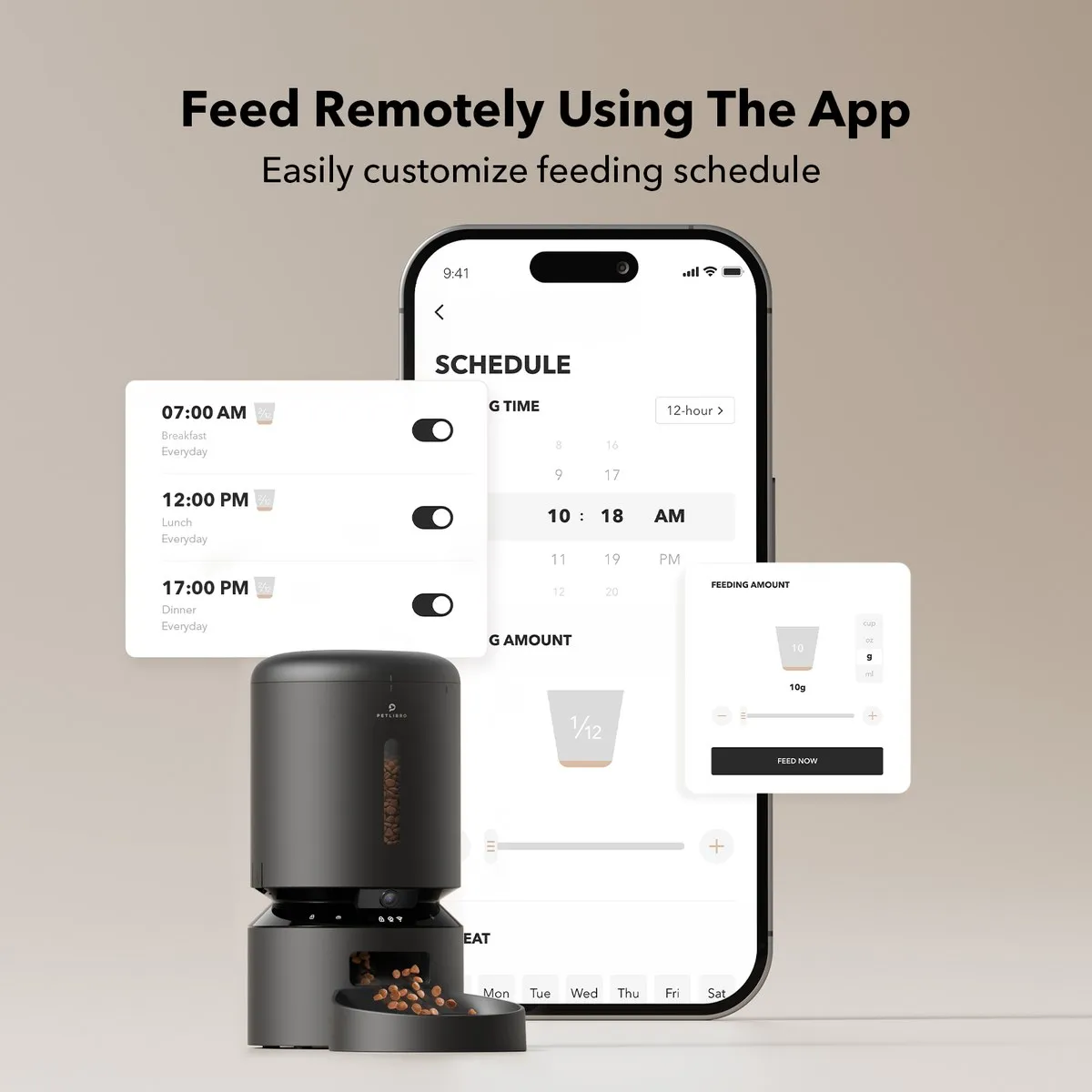
Updated: 2026-10-01. Sources: r/Petlibro thread “Granary camera light coming on?” (posted September 16, 2026, 6 upvotes and 24 comments, including the Petlibro support reply describing the camera indicator logic as intentional, owners reporting the light active with the camera disabled in the app, a two-unit household where only one unit indicates, an owner covering the light with electrical tape, and an owner who posted the Settings > device settings indicator path; read October 1, 2026), r/Petlibro thread “Camera staying on” (September 21, 2026, 12 upvotes and 5 comments, including the owner who found video save to SD card set to continuous instead of motion detection, and the report that the update notes cited regulatory compliance; read October 1, 2026), r/Petlibro thread “Granary camera firmware update, won’t switch back to home Wi-Fi” (September 21, 2026, including a support estimate of up to 3 days for a supervisor reply; read October 1, 2026), r/Petlibro post from September 28, 2026 on three feeders failing to recognise SD cards and cats reacting to the new flashing icon (thread; read October 1, 2026), Petlibro’s official product listing for the Granary Smart Camera Feeder (petlibro.com; read October 1, 2026), the TP-Link Tapo pan/tilt camera product page (tp-link.com; read October 1, 2026), and the petlibro.com Trustpilot profile (trustpilot.com; 3.4 from 1,016 reviews with replies to 72% of negative reviews within two weeks, read October 1, 2026). Hero image: official Petlibro product photograph of the Granary camera monitoring feeder from the maker’s own product listing.